Castle Apk For PC

Castle APK for PC can be an option for those who wish to experiment with Android-based entertainment apps in a bigger screen space.
Hollywood & Bollywood: 100K+ Movies
Version: v2.1.1/ Size: 54 MB
 Download For PC
Security Verified
McAfee
F-Secure
Adblock
Introduction
Castle APK can be run on PC with help from emulators since it is Android focused. Users get to see movies, TV shows and web series on bigger screens. This makes watching more enjoyable in many cases. Keyboard and mouse make navigation easier. Too features and installation come up in explanations. Advantages are also there. It seems like a decent way to enjoy the content without sticking to phone screens only. Not totally sure how smooth it always runs but the idea is there.
Uses of Castle APK for PC
Some people like watching movies and shows on a computer instead of a phone. Castle APK for PC might help with that kind of thing. It works through an emulator so the Android app stuff shows up on a bigger screen. You can look through the entertainment options that way. I think it feels more convenient when you use headphones. Or external speakers along with the keyboard and mouse. Not everyone needs it but it seems useful if you prefer that setup. The categories are there to explore but it is not always clear how smooth it runs on every machine.
Features of Castle APK for PC
1. Large Screen Experience
One of the main benefits of using Castle App on PC is the larger display. Users can watch available content on laptop. Or desktop screens instead of small mobile displays.
2. Simple User Interface
Using castle app Conclusion on a PC has that larger display as a big plus. It lets you watch the content on a laptop or desktop screen. That is instead of the small mobile one. I think this change helps quite a bit. It seems like something easy to overlook at first.
3. Movie Categories
The users can come across various kinds of movies. Which depend on the library of content that the application has.
4.Easy Content Discovery
There are features to browse through the categories that are available. There is also the feature to do a search.
5.Flexible Screen Options
PC can interface with external display devices such as monitors. Which provide more options for viewing the displayed material.
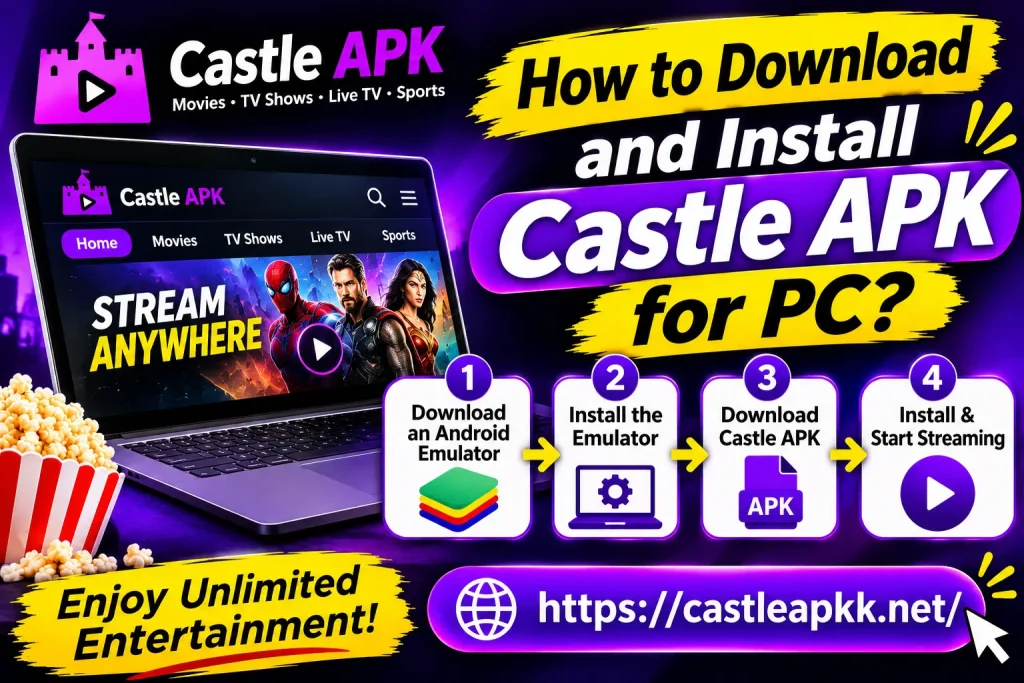
How to Download and Install Castle APK for PC?
1: Check Your Computer
Before beginning the emulation process ensure your computer has a compatible processor. Enough RAM and storage space, and current graphics drivers.
2: Select an Android Emulator
Use an established Android emulator like BlueStacks. Or LD Player these applications will enable. You to run supported Android apps on your Windows system.
3: Visit the Official Website
Open the website for your selected emulator on the Internet. It is always best to download your emulator from the original Castle website.
4:Download the Emulator
Choose the Windows download link and download the installation file. Ensure that the entire download process is completed.
Key Features of Castle APK
- PC users can use a keyboard and mouse to navigate supported emulator applications. This can make browsing different menus more convenient.
- Users can connect external speakers, headphones. Or other audio devices to enjoy sound through their computer setup.
- Watching entertainment content on a desktop monitor. Or laptop can provide a more comfortable experience, particularly for longer videos.
- Users can explore available categories and use search options to discover castle apk movies. And television shows.
- A PC can connect to external monitors and compatible display devices. Giving users more flexibility when watching content.
- While using an emulator, users can switch between other computer applications.
- Watch supported videos of varying qualities, based on the availability of the source.
FAQs
1:What is Castle APK for PC?
Castle APK for PC means playing the Android version of Castle using. An appropriate emulator that supports Android operating system in a Windows PC.
Q2. Can I install Castle APK directly on Windows?
Not generally. APK files work with Android. Emulators are usually required in order to run APK files on Windows.
Q3. Which emulator can I use for Castle APK?
Some examples of Android emulators include BlueStacks and LDPlayer. But the compatibility of Castle APK Download would depend upon the versions.
4:Is Castle APK available for Windows 10 and Windows 11?
A genuine Windows edition needs to be verified from the app’s official website. Alternatively, an Android simulator that works well can be used.
5:Is Castle APK free to use on PC?
There could be no need to make any purchases to download the Castle APK Download and the emulator. However, there might be some parts which will be paid.
Conclusion
Castle APK for PC can be an option for those. Who wish to experiment with Android-based entertainment apps in a bigger screen space. With a suitable emulator, it may be possible for. Users can download and execute compatible APK files. The features that this software could offer, along with. The ease of controlling it and viewing on the bigger screen. Can make it appealing to use through the computer.